
new
Settings & Configuration
📊 Usage: see who is actually planning in Toolio
What's new
Change History
now has a Usage
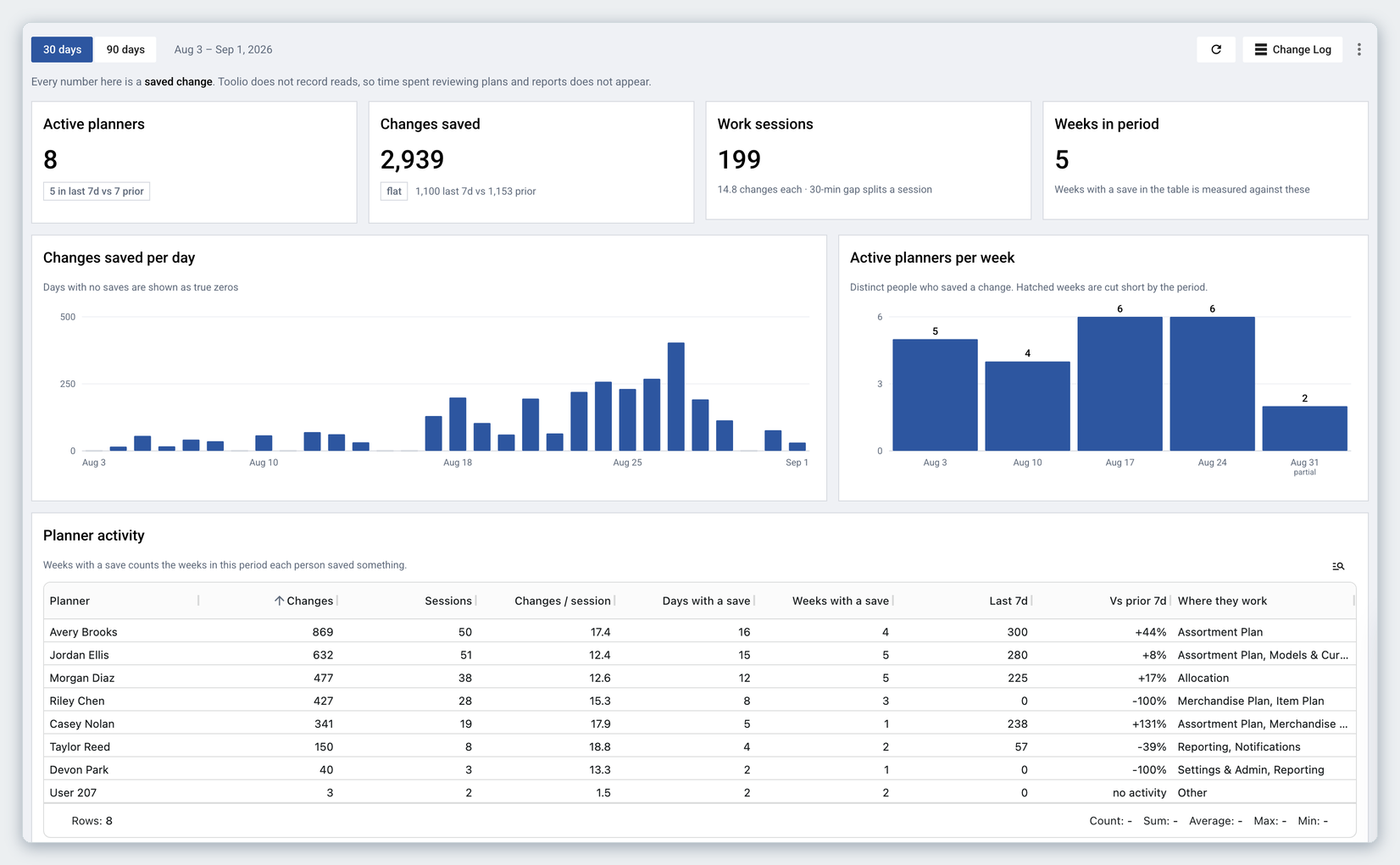
view: a read-out of your team's planning activity over the last 30 or 90 days, built from the change events Toolio already records. No setup, no integration. Find it at Settings > Data Management > Change History
, then click Usage
.
What you can do
- See how many people saved work in the period, how often they came back, and how the last 7 days compare with the 7 before.
- Follow changes saved per day and active planners per week, with weeks the period cuts short marked as partial.
- Compare planners side by side: changes, work sessions, changes per session, days and weeks with a save, and the modules each person spends their time in.
- See which modules are actually being used, including any sitting at zero, and how each planner's work splits across them.
- Check the slowest operations, so a slow save is not mistaken for a slow planner.
- Narrow the planner table to one person or a group, and export the whole report to CSV from the ⋮menu.
Why it helps
Adoption questions used to mean asking around or guessing from a change log built for auditing one edit at a time. Usage answers them in the product: who is planning, in what, and whether that changed this week. It is the view to open before a business review, after a training session, or when a module has gone quiet and you want to know whether that is real.
Every figure is a saved change, so it measures work done rather than time logged in. Someone who spends the week reviewing plans without saving will not appear. Toolio staff and service accounts are left out, and the view is available to admins.