
improved
Assortment Plan
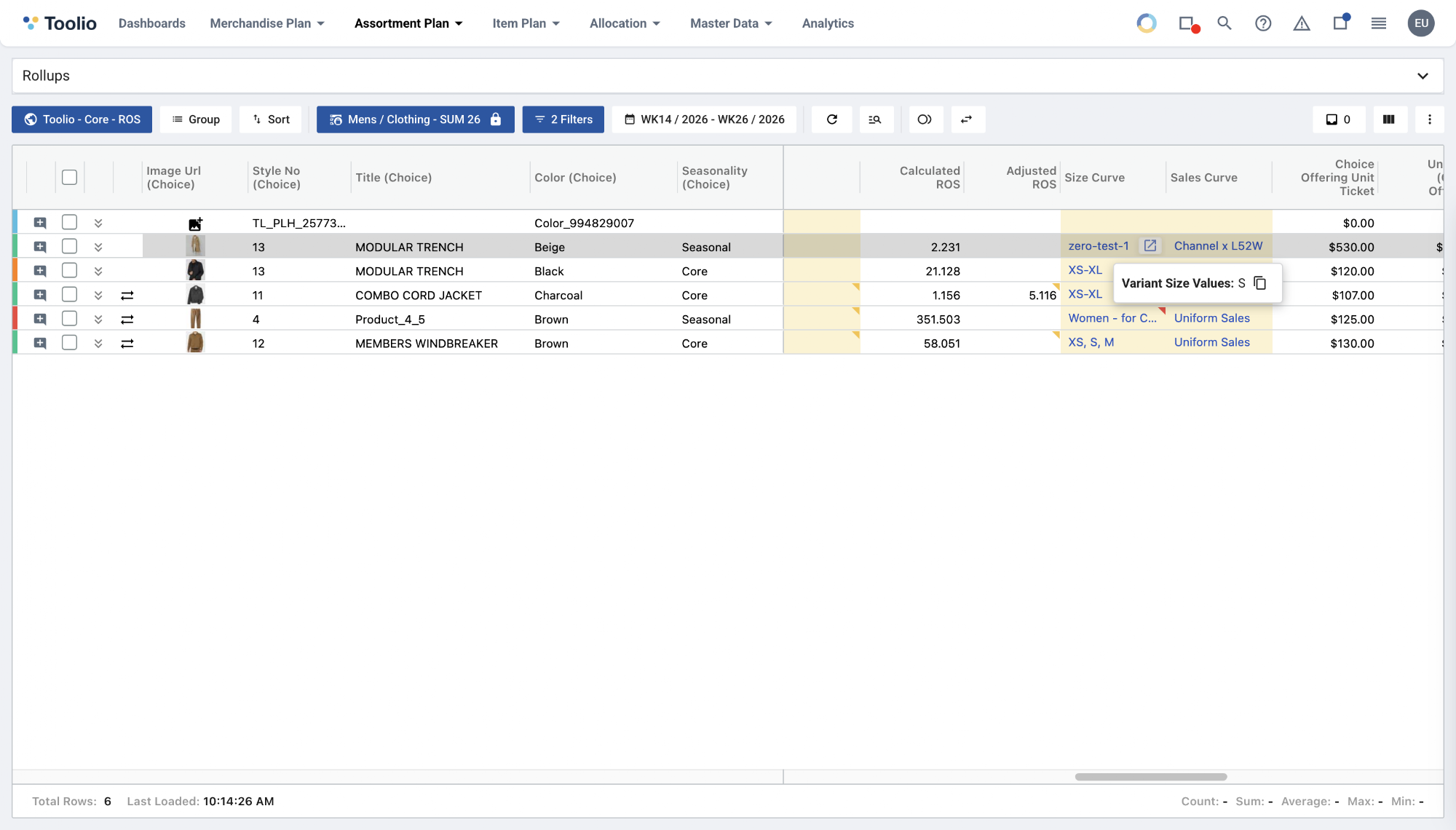
📏 See a choice's actual sizes right on the Assortment Plan grid
What's new
Hover any cell in the
Size Curve
column on the New Assortment Plan grid to instantly see the actual variant sizes
a choice's assigned product carries — with a one-click copy
button. The same size details (Variant Size Values, Size Curve Size Values, and Size States) now also appear in the choice status Validations → Details
panel even when size selection passes, not only when it fails.What you can do
- Glance at a choice's real sizes right on the grid — no need to open the Offerings panel or wait for a validation error.
- Hover a Size Curve cell to see Variant Size Values, Size Curve Size Values, and Size States together.
- Copy any size list to your clipboard in a single click.
Why it helps
Until now, a choice's real sizes were only visible by digging into the Offerings panel — or when a size-validation check failed. Surfacing them directly on the grid lets you spot-check size coverage and catch mismatches while you plan, without breaking your flow.